
Print backup duo codes
If you have been set up on duo and would like to print backup codes please follow the instructions listed below.
- Navigate to passport.gatech.edu
- Log in using your Georgia Tech Credentials
- Once logged into passport look on the left side of the page and click “Two Factor”
- Scroll to the bottom of the page and click “Generate Backup Codes”
How to add a landline phone to DUO
If you have been set up on duo and would like to add an extra landline phone to your account please follow the instructions below!
- Navigate to passport.gatech.edu
- Log in using your Georgia Tech Credentials
- Once logged into passport look on the left side of the page and click “Two Factor”
How do I add a backup mobile phone to DUO
If you have been set up on Duo and would like to add an extra mobile phone to your account please follow the instructions below!
1. Navigate to passport.gatech.edu
2. Log in using your Georgia Tech Credentials
3. Once logged into passport look on the left side of the page and click “Two Factor”
4. Scroll to the bottom of the page and click “Add Another Phone”
Generate a Duo Emergency Rescue Code for Another User
Occasionally, a coworker may be unable to access their Duo enabled device. In such a case, a Duo Emergency Rescue Code can be generated by any other Duo-enabled user.
To start the process, log into Passport (https://passport.gatech.edu) and select Assist Another Person.
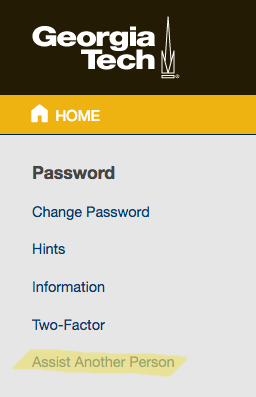
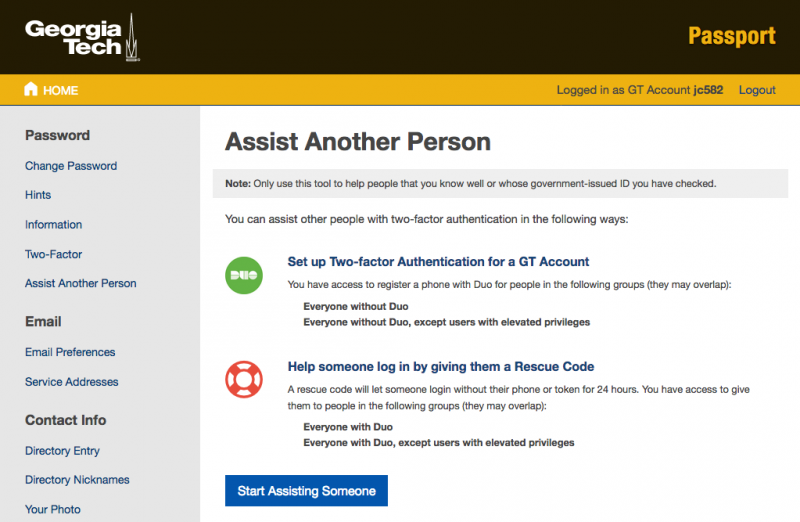
At the Assist Another Person screen, select Start Assisting Someone.
Enroll Another User in Duo Two-Factor Authentication
In order to help one of your co-workers by enrolling them in Duo, you first need to log into Passport (https://passport.gatech.edu) and select Assist Another Person.
You should then see the following screen. Select Start Assisting Someone to begin the process.
How do I sponsor a collaborator or visitor?
There are two options to request a GT account for collaborators or visitors, depending on what kind of access is needed and for how long the account will be needed.
-
Sponsors can login to http://passport.gatech.edu/ as themselves to sponsor a guest account. This will allow for LAWN wireless and wired network access as well as login to general web applications (e.g. research servers that use GT authentication). This option is best for short-term arrangements as access must be periodically renewed.